Emergency Sunday Night Gaming PC Repair in Rosebery: RTX 5060 FPS Drop & Windows Shutdown Fix
On-site Sunday night repair in Rosebery restored an RTX 5060 gaming PC after a Windows update: VALORANT rose from about 20 FPS to 400–600+ FPS and shutdown worked normally.
After the owner selected “Update and Shutdown” on Saturday night, the desktop became difficult to use on Sunday. VALORANT and Fortnite, previously running at roughly 300 FPS, fell to about 20 FPS. NVIDIA Control Panel would not open, a driver reinstall stalled, and Windows took so long to shut down that the fans and lights stayed on. The owner found our service through a ChatGPT search for emergency Sydney computer repair and booked a Sunday evening visit.
| Observed symptom | Diagnostic meaning |
|---|---|
| Game frame rate around 20 FPS | Graphics acceleration and application GPU selection needed checking. |
| NVIDIA controls would not open; reinstall stalled | The graphics driver installation was not healthy after the update. |
| Reliability Monitor: LiveKernelEvent 1b8 | A useful system error clue; the event alone did not prove physical GPU failure. |
| Shutdown screen hung with fans still running | Power-state and Fast Startup behaviour needed separate testing. |
On-site diagnosis and repair
The technician arrived at 8:40 pm and checked the Windows update and graphics-driver state. The damaged driver configuration was cleared, then the official NVIDIA driver for the RTX 5060 was installed cleanly. NVIDIA controls opened again, and Windows Graphics preferences and NVIDIA game settings were checked so VALORANT and Fortnite used the high-performance GPU.
The shutdown fault was treated as a second problem. After testing the power-state hang, Fast Startup and hibernation were disabled with powercfg /h off. Repeated shutdown checks then completed normally. This setting also disables hibernation; it is a case-specific change, not a universal fix for every slow shutdown.
Photos from the Rosebery visit
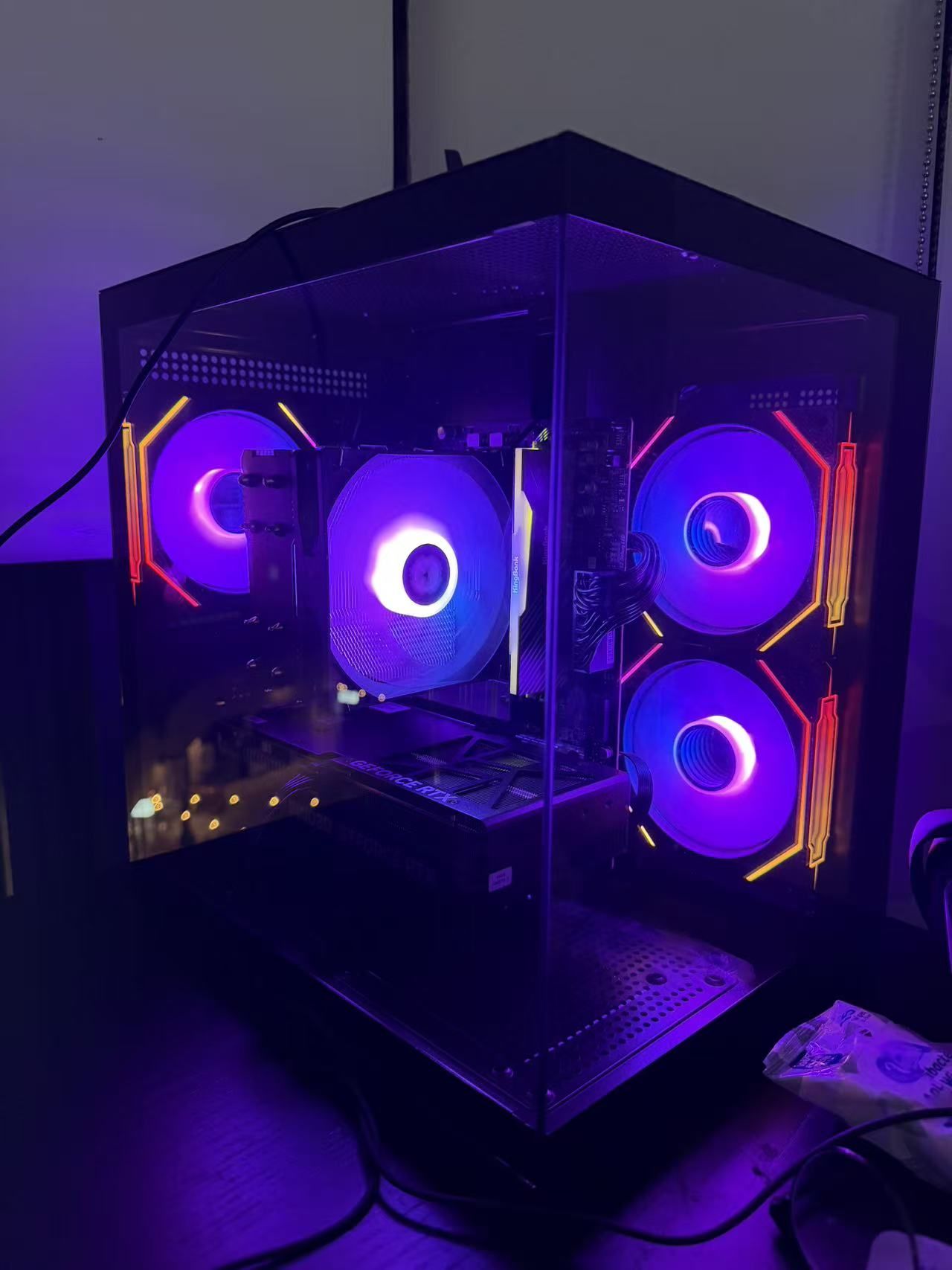
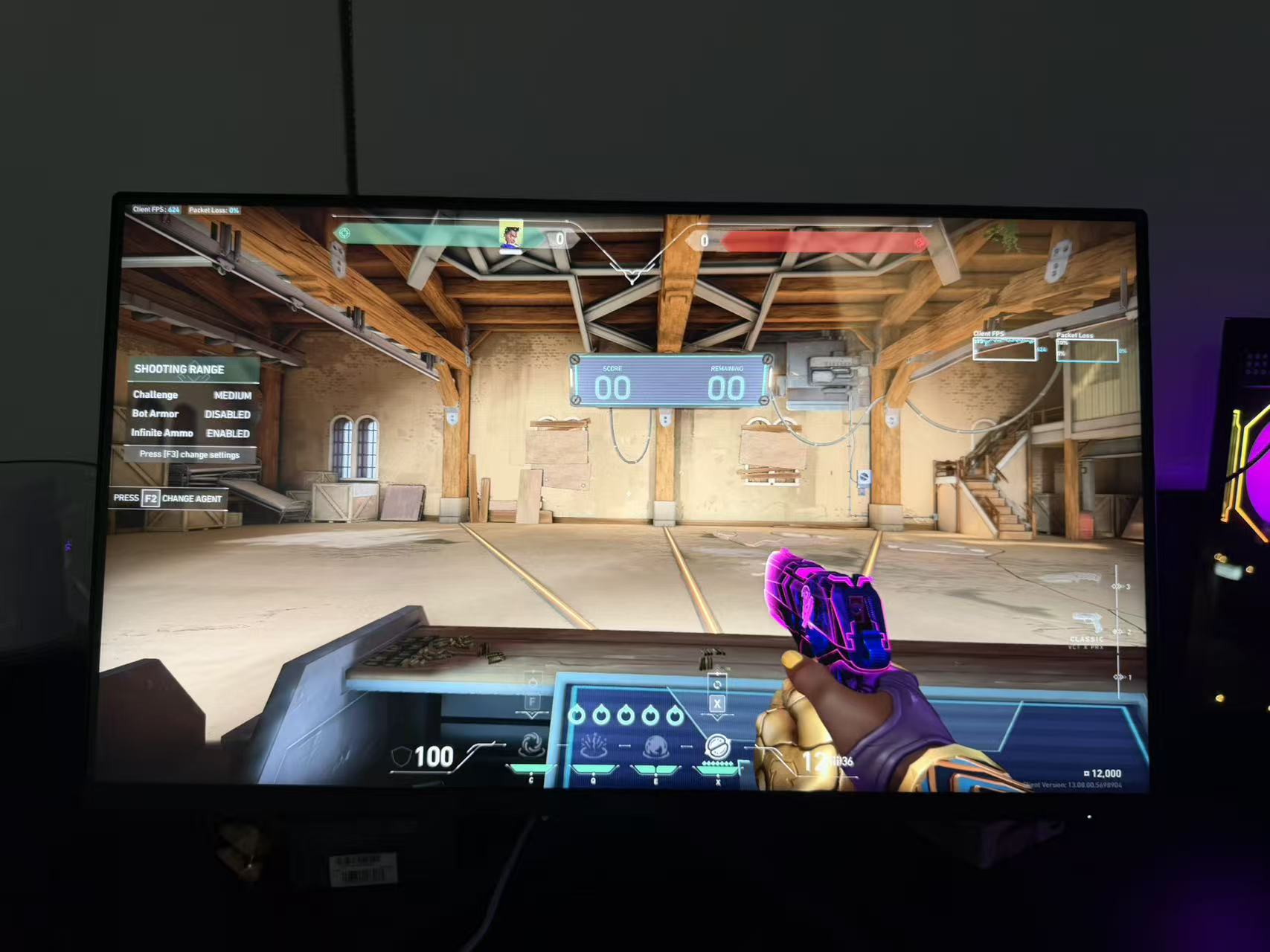
Verified result
VALORANT client FPS rose from about 20 to the 400–600+ range during on-site checks. The photographed test frame shows more than 400 FPS with 0% packet loss. NVIDIA graphics settings were accessible again. The PC also powered off fully in under three seconds during the final check, without the previous fan and LED hang. The visit took about one hour.
Frame rates vary by game scene, graphics settings and display resolution; the photo documents one test moment rather than a guaranteed continuous rate. No parts were replaced, and the evidence from this visit supports a software and power-setting resolution rather than a confirmed hardware defect.
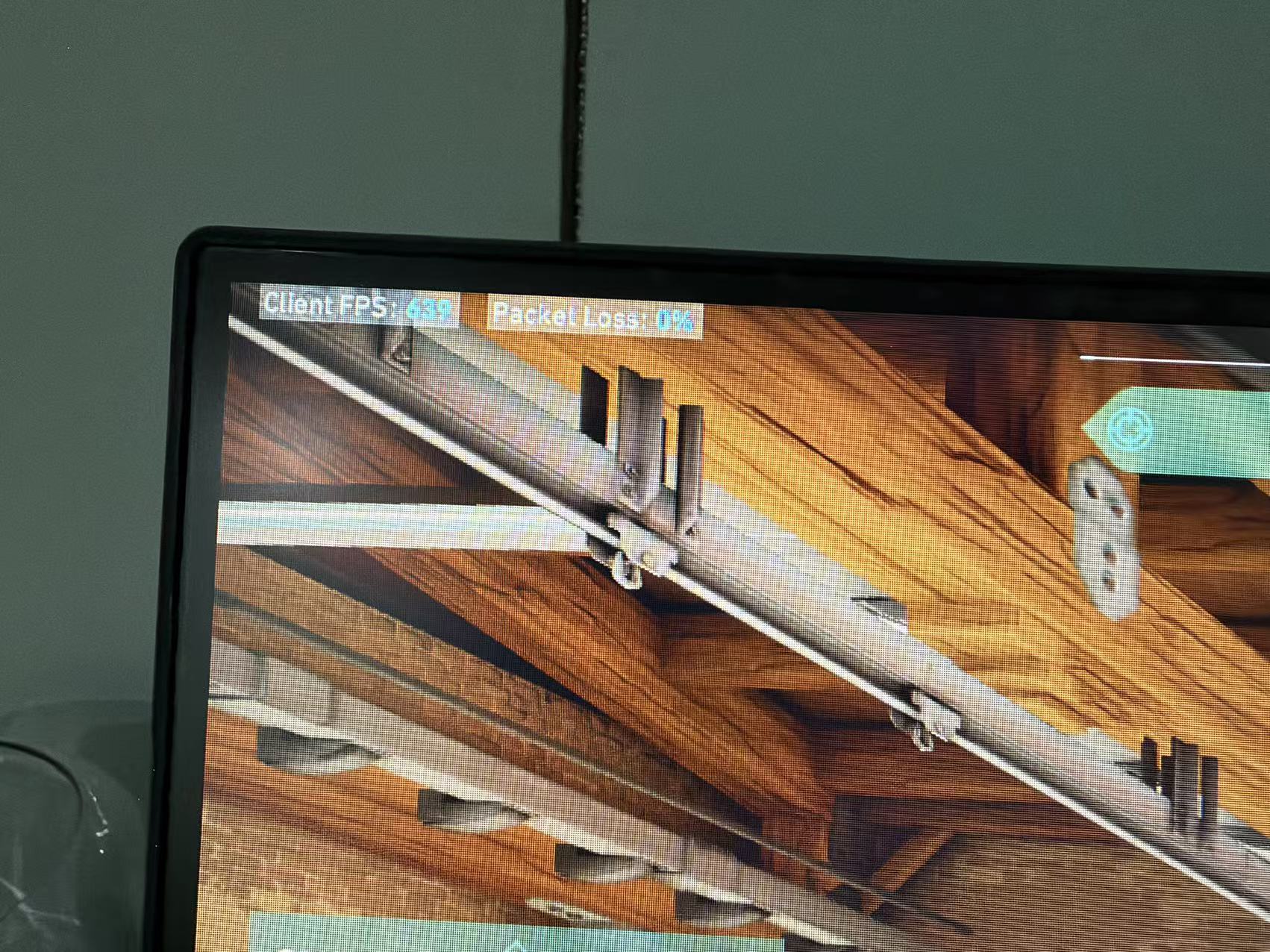
Game performance and normal shutdown returned during the Sunday night on-site visit.