0420 119 140More ways to reach us
On-site across Sydney · Remote support Australia-wide
Skip to content
Sydney WiFi & Computer RepairSydney WiFi
The Sydney city skyline at sunset, seen from the client's apartment balcony

Featured case · Sydney Olympic Park · New home internet

Gigabit in a high-rise, router moved to the lounge

A student who messaged us on Xiaohongshu: Superloop gigabit set up, the router placed in the living room within reach of both bedrooms, printers and smart devices connected

Location
Sydney Olympic Park NSW 2127
Client
Student · high-rise apartment
Found us via
Xiaohongshu message
Provider
Superloop · gigabit
Router
TP-Link BE3600 · WiFi 7
Result
Router in the lounge, all devices online
RESULTThe NBN equipment was in a cabinet by the front door, far from every room. We patched it to the living-room wall port, put the router in the living room, then connected and tested the printers and smart devices.

THE CLIENT

NBN equipment by the front door, far from every room

The client is an international student in a high-rise apartment near Sydney Olympic Park, who had messaged us on Xiaohongshu for help getting the internet connected and set up. The provider is Superloop, on a gigabit plan.

The apartment's NBN equipment sits in a cabinet beside the front door, some distance from both bedrooms and the living room. The client wanted the router in the living room, which is a reasonable distance from both rooms, for better signal.

XiaohongshuAsked for help getting connected
On siteBroadband up, router moved
DevicesPrinters and smart devices tested
QuestionsRouters and WiFi 7 explained
01
What we found
NBN equipment in the entry cabinet

The NBN box and comms panel are in the cabinet beside the front door. A router left there has to push signal through the cabinet door and several walls to reach the bedrooms.
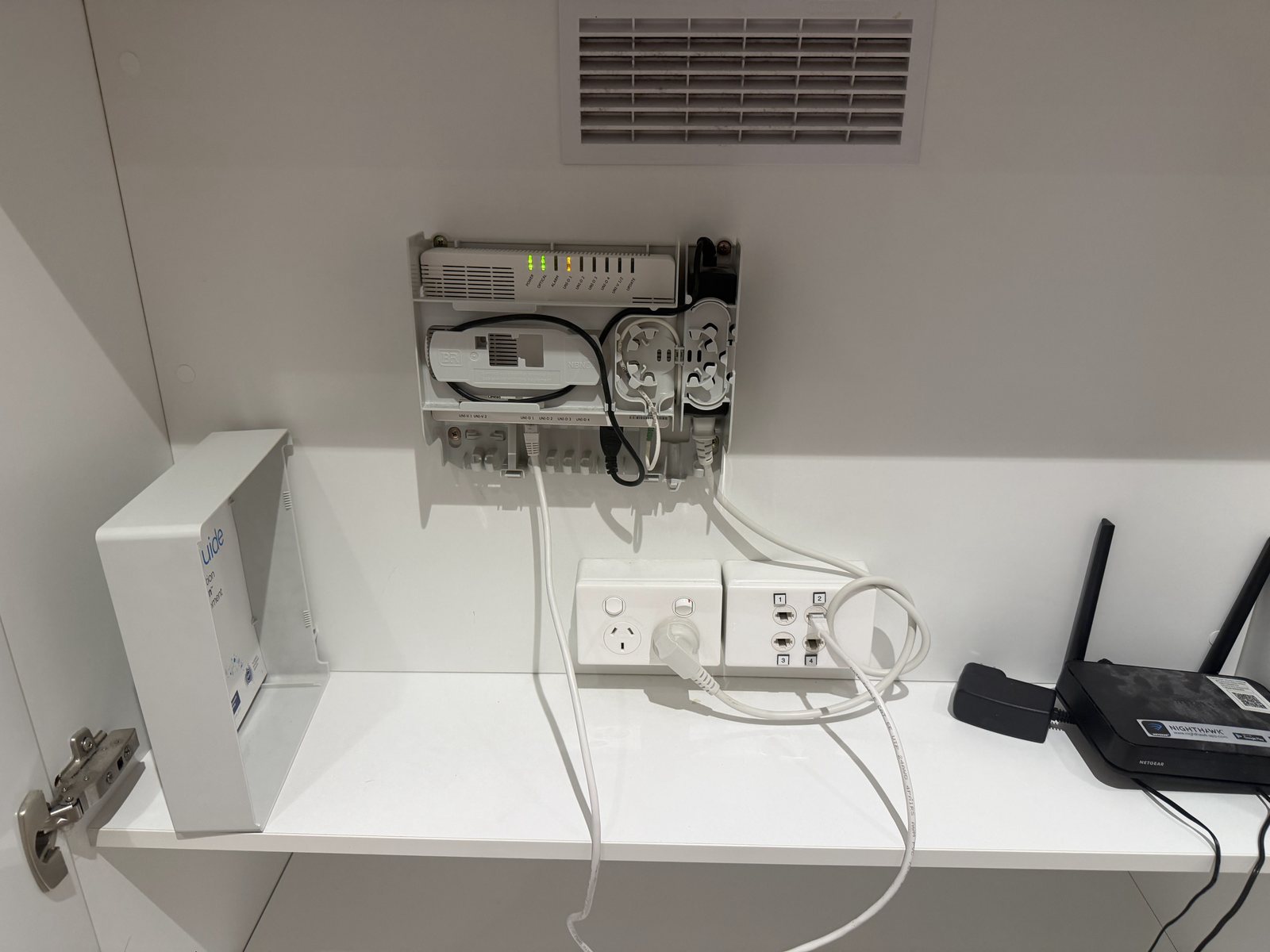
The NBN box and comms panel in the entry cabinet
  1. 1

    Out of the way

    The cabinet is at the entry, away from both bedrooms and the living room.

  2. 2

    What the client wanted

    The router in the living room, a reasonable distance from both rooms.

  3. 3

    Cable in the walls

    The apartment already has data cabling and a living-room wall port; it just wasn't linked to the NBN equipment.

02
Router to the living room
Patched through to the living-room wall port

In the cabinet we connected the NBN equipment to the in-wall cable that runs to the living room. The router now sits in the living room, plugged into the wall port there.

  1. 1

    Patch the in-wall cable

    The NBN box connected to the living-room run at the comms panel.

  2. 2

    Router in the lounge

    Plugged into the living-room wall port, with no new cable to run.

  3. 3

    Service set up

    Superloop gigabit configured and confirmed online.
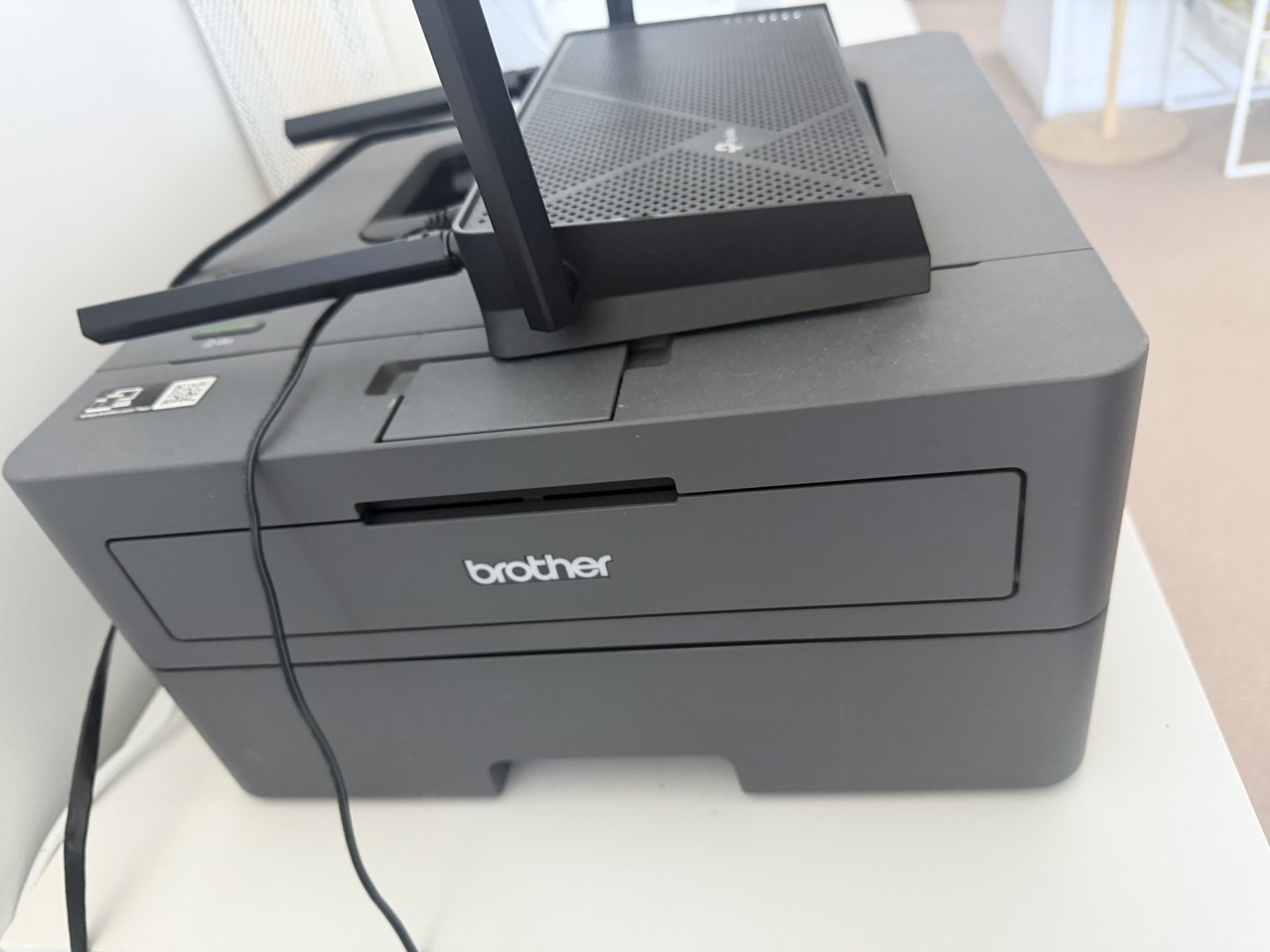
The TP-Link router in the living room beside a printer
The router in the living room, beside the client's printer
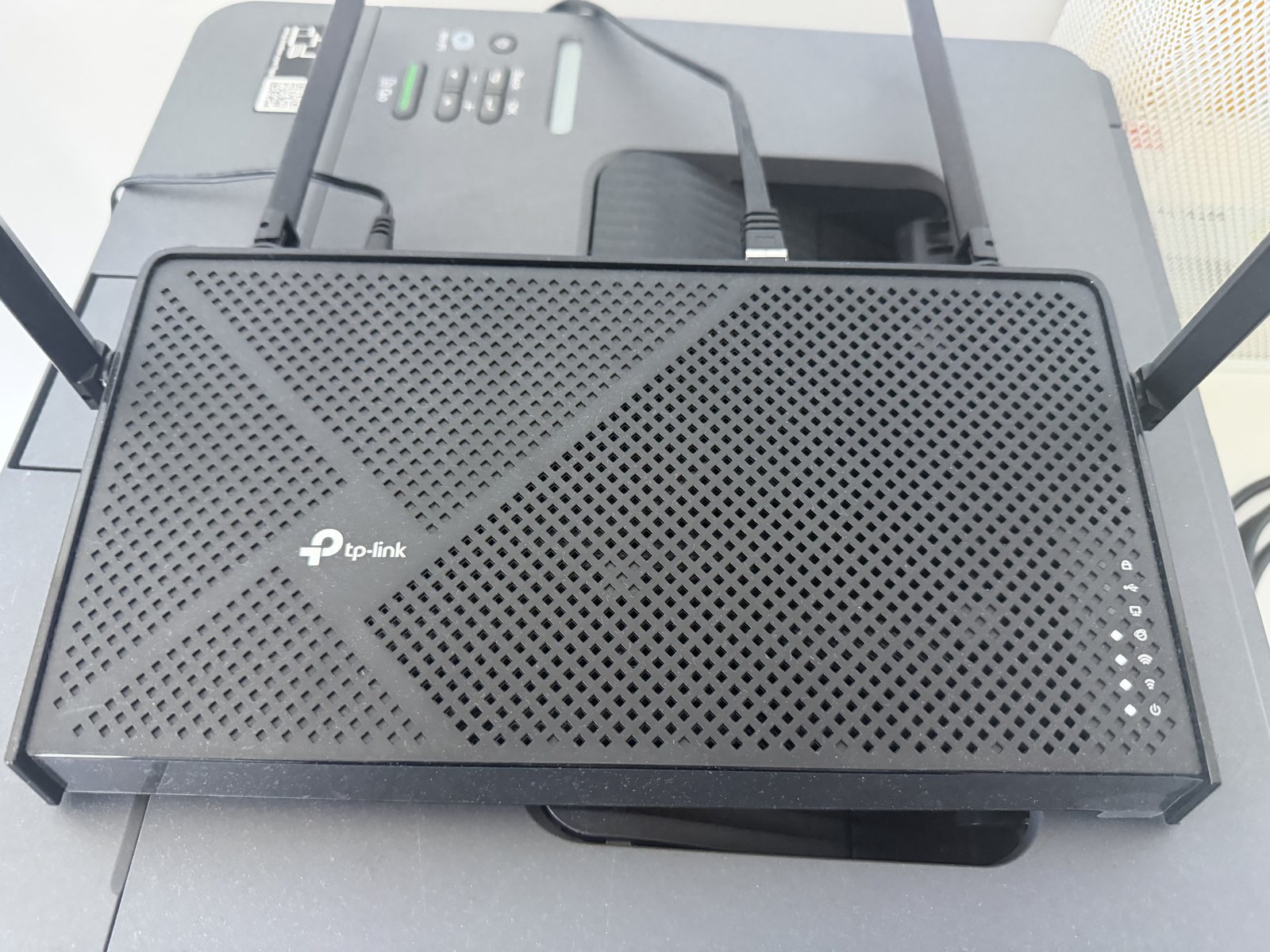
The top of the TP-Link router with its lights on
Router up and running
03
Devices connected
Printers and smart devices tested one by one

The client has several printers and other connected devices. With the router in place, we joined each one to the network and tested it.

  1. 1

    Printers

    Connected to the new network and confirmed working.

  2. 2

    Smart devices

    The other smart devices set up and tested as well.

  3. 3

    Questions answered

    We answered a lot of the client's questions about home networking along the way.

04
Choosing the router
A WiFi 7 TP-Link BE3600

The client wasn't familiar with routers or WiFi 7 gear, so we made a recommendation: the TP-Link BE3600 WiFi 7 router, for better coverage and stability, and a good match for a gigabit plan.
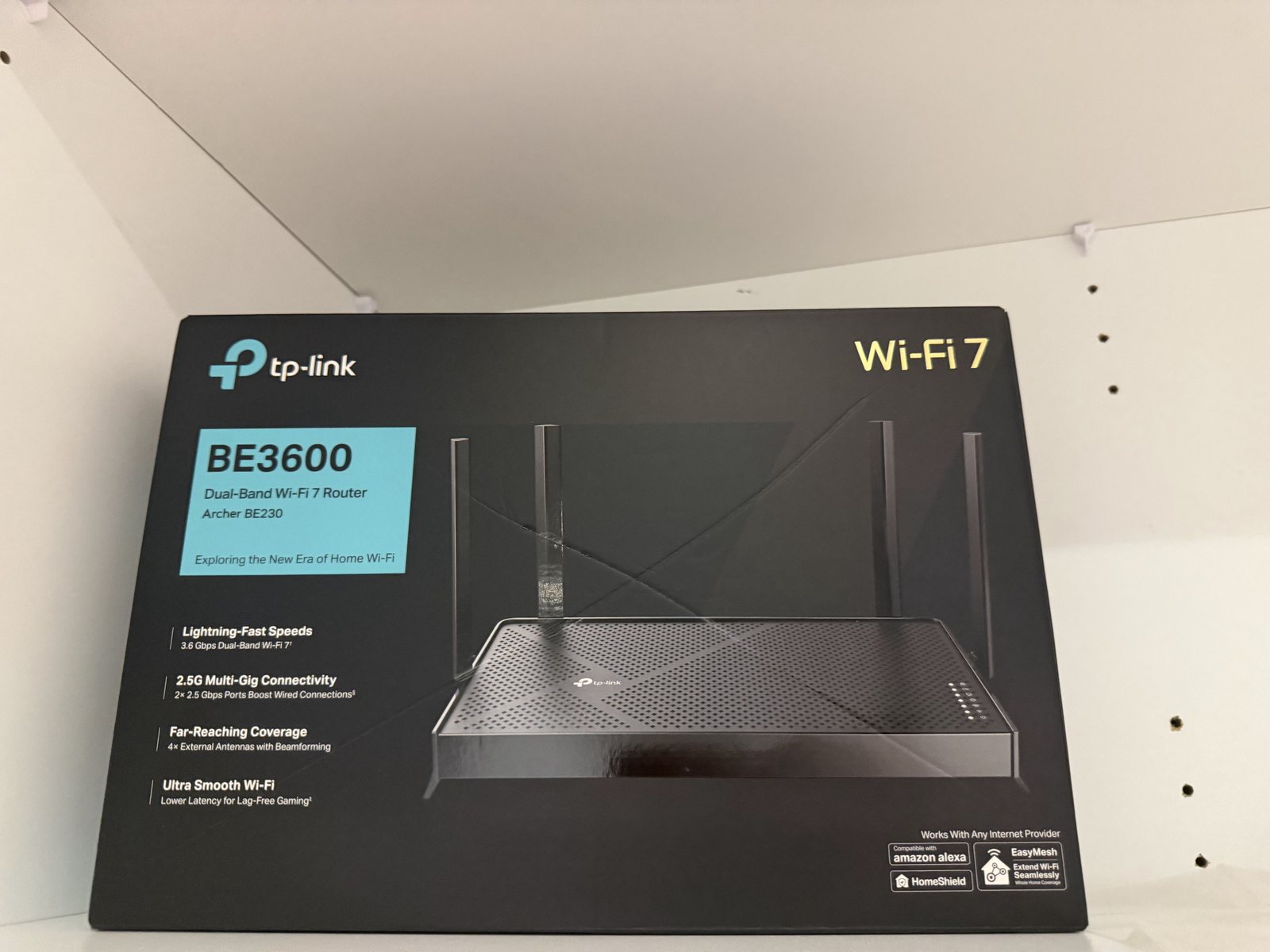
The box of the TP-Link BE3600 WiFi 7 router (Archer BE230)
The TP-Link BE3600 WiFi 7 router
05
Sydney from the balcony
A view you only get this high up

Chatting with the client afterwards, we took some photos from the balcony. It's a high floor with a wide view over most of Sydney, and at sunset it was beautiful.

The Sydney city skyline at sunset from the apartment balcony
The city at sunset, taken from the client's balcony

A real job: it's a rare angle, so we're sharing it. Every case we write up is a job we actually did on site.


RESULT
Gigabit connected, and the router where it should be.

The router moved from the entry cabinet to the living room for better signal in both bedrooms, with the printers and smart devices all online.

Next step

Connecting a new home, or router in the wrong spot?

Tell us the layout and where the equipment is. We'll get you connected, place the router well and set up your devices in one visit.

Broadband setup · Router · Devices