0420 119 140More ways to reach us
On-site across Sydney · Remote support Australia-wide
Skip to content
Sydney WiFi & Computer RepairSydney WiFi
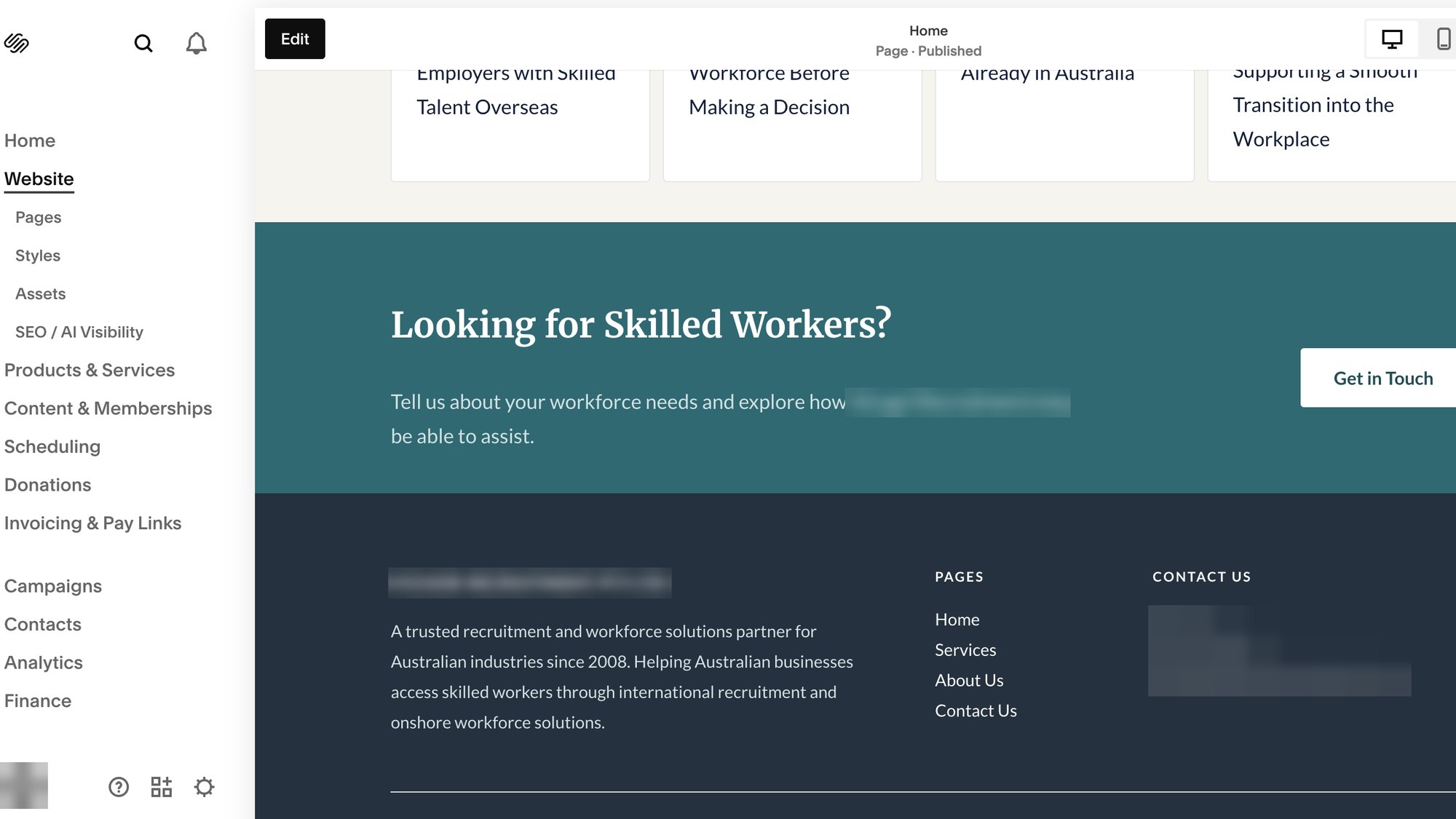
The recruitment company's website in the editor (company details hidden)

Featured case · Melbourne · Website build

Recruitment website: three styles, editable in-house

A Chinese-run business that found us on Xiaohongshu: needs agreed over several meetings, three styles to choose from, then design, launch and a platform they edit themselves

Location
Melbourne
Client
Workforce recruitment company
Found us via
Xiaohongshu → WeChat
Website
5-page English site
Platform
Squarespace
Result
Harbour Teal chosen, live
RESULTAfter several meetings we offered three design styles for the client to choose from internally, built the chosen one with their real photos, iterated on feedback and launched. They now edit it themselves.

THE CLIENT

Paused for a while, and they came back to us

The client is a Chinese-run business that recruits workers in China and Southeast Asia for Australian farms, meat works and other factories. They first asked us about a website through Xiaohongshu, then on WeChat, but it wasn't a priority and the project paused.

After a while the company restarted it and got back in touch. The client said they had kept us in mind and followed the Sydney jobs we share on WeChat Moments, and saw us as professionals.

XiaohongshuFirst website enquiry
WeChatTalks, then paused
LaterRestarted, needs agreed over meetings
DeliveryThree styles, design, feedback, launch
01
First contact
Xiaohongshu first, WeChat later

On WeChat the client wrote: we're ready to start the website now, and we've kept you in mind and followed your work in Sydney.
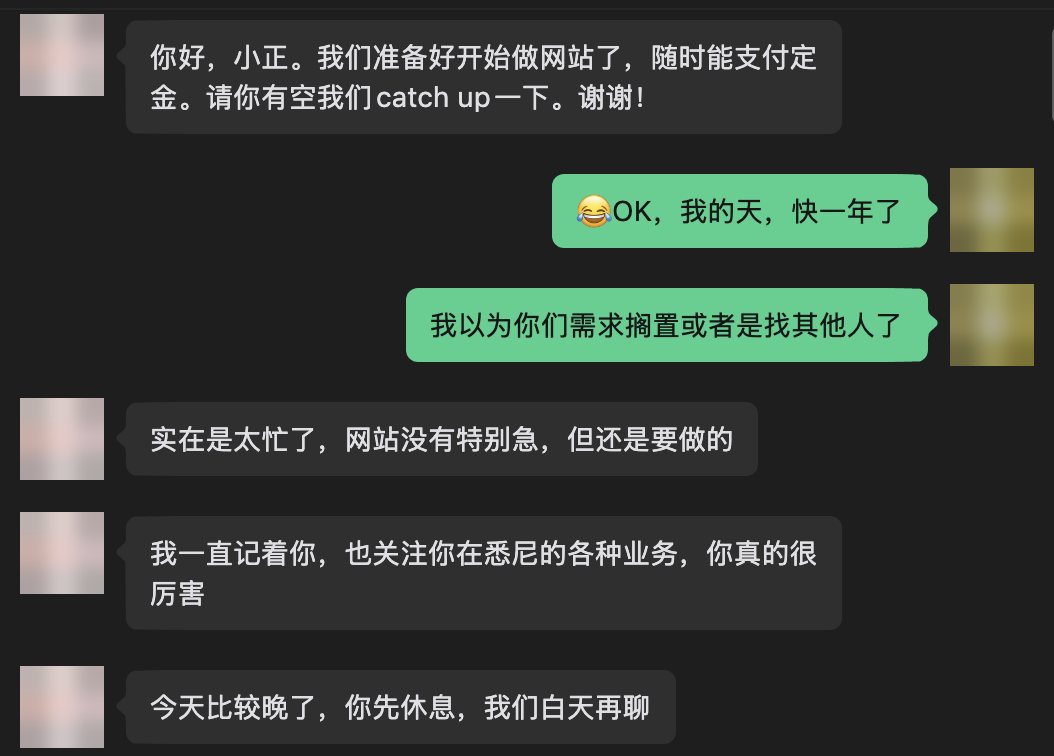
WeChat message restarting the website project; the client says they have followed our work in Sydney (avatars hidden)
Chat in Chinese: "We're ready to start the website… I've kept you in mind and followed your business in Sydney. You're really impressive."
02
The brief
A showcase site, with time spent on key pages

Over several meetings the brief became clear: a site to present the business, with no complex features for now.

  1. 1

    Pages

    Five simple English pages to start: Home, About Us, Services, Cases and Contact.

  2. 2

    Key pages

    Extra design time on the pages that carry the company's image.

  3. 3

    Real material

    The client's own photos of the team and sites, not stock images.

  4. 4

    Only what's needed

    We offered domain registration, marketing and SEO; the client didn't need them yet, so we left them out.

03
Three styles
For the client to present and choose internally

We prepared three design styles. The client presented them internally and emailed back their choice: Style 3, Harbour Teal.

  1. 1

    Style 1 · Corporate Trust

    A full team photo under a deep navy gradient, stressing history. For an established, trustworthy image.

  2. 2

    Style 2 · Clear Blue

    Text left, photo right on light blue, with rounded service cards. For a modern, efficient image.

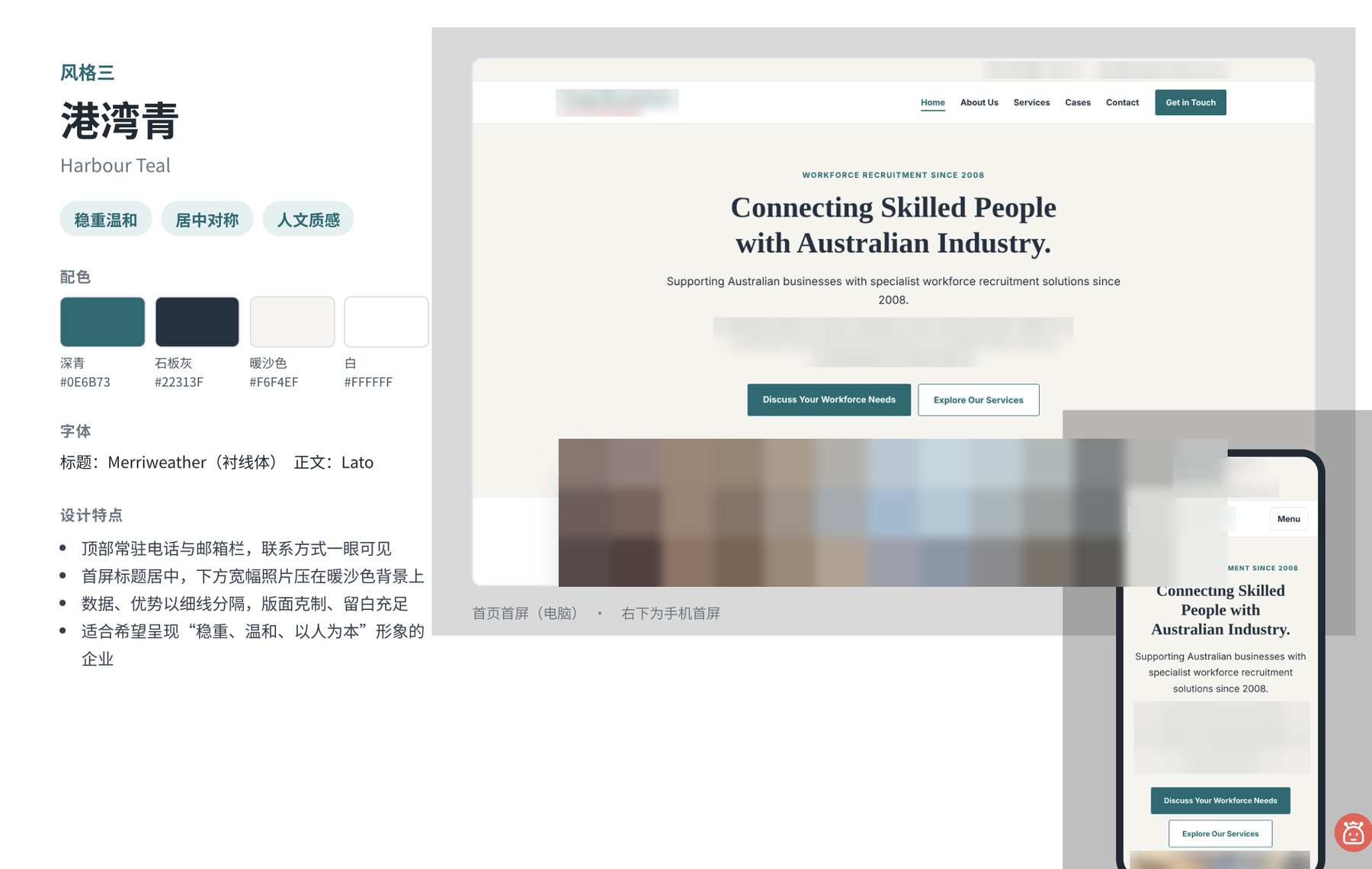
  3. 3

    Style 3 · Harbour Teal

    Phone and email always on top, a centred headline and wide photo, plenty of white space. For a calm, people-first image.
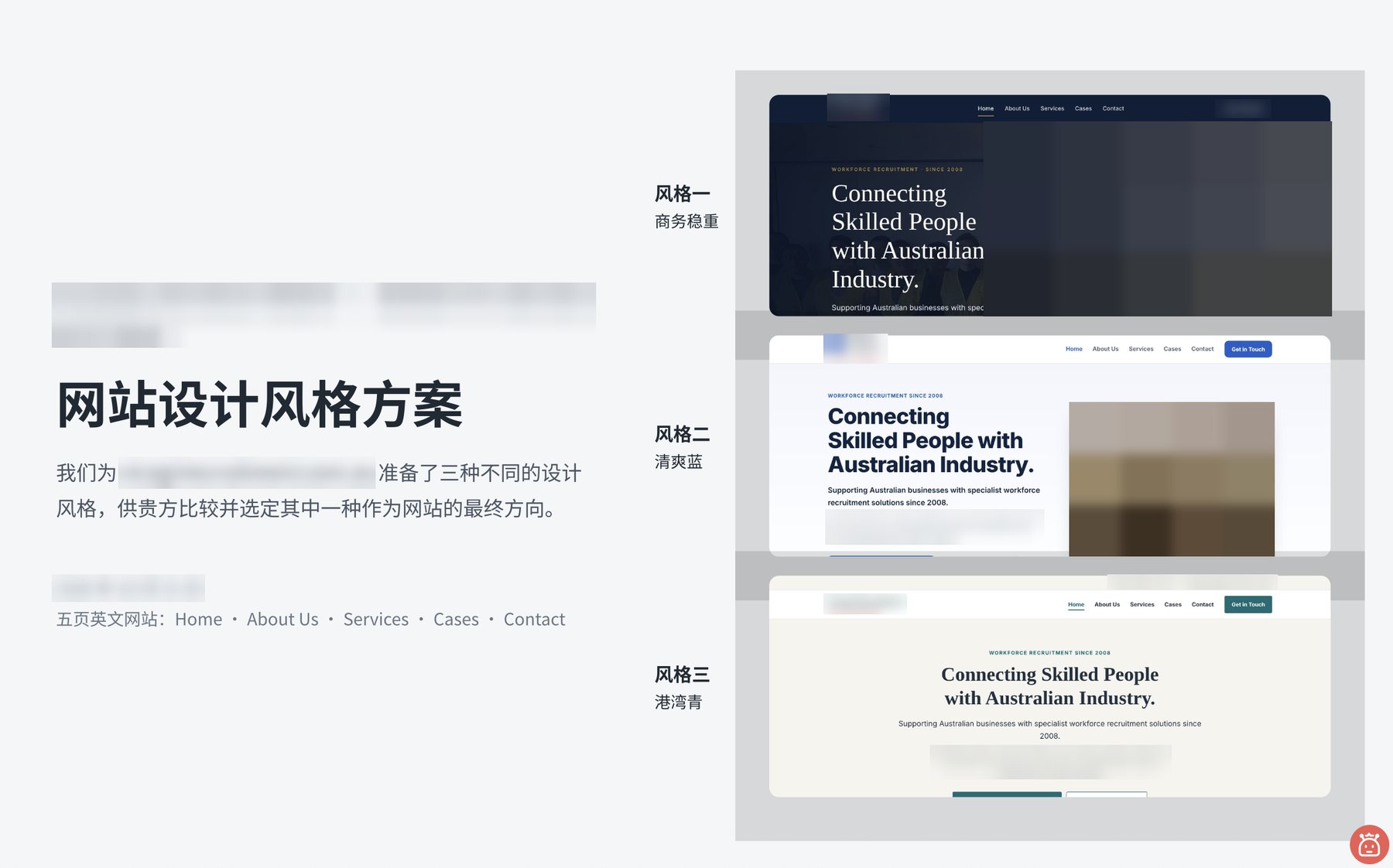
The three website design styles offered (company name, contacts and people hidden)
The three style options (company details and people hidden)
Style 3, Harbour Teal: colours, fonts and design notes (company details and people hidden)
The chosen Style 3, Harbour Teal: colours, fonts, notes and desktop and mobile first screens
04
Design and launch
Built in the chosen style, refined, then published

With the style agreed, our designer laid out the pages with the client's real photos. The client reviewed internally, sent changes, and we published after another round.

  1. 1

    Design

    Colours, fonts and layout set to the chosen style, with the client's photos placed where they work best.

  2. 2

    Feedback rounds

    Changes from the client's review worked through one by one, then confirmed.

  3. 3

    Their domain

    The client already owned a domain; with their registrar details we connected it to the live site.
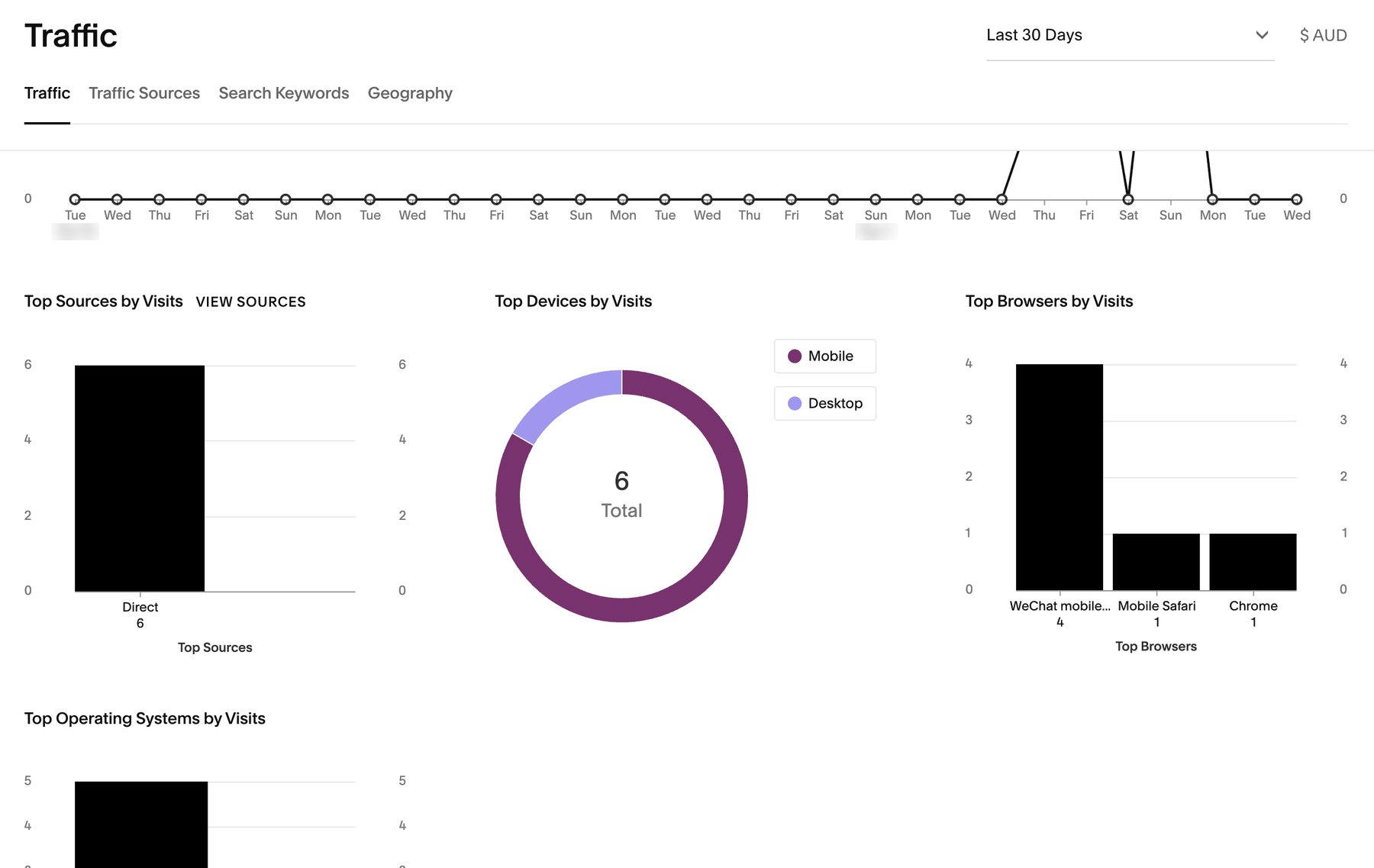
The site's traffic dashboard: sources, devices and browsers (dates hidden)
At handover we showed the client how to read basic site data
05
Hosting
Two options; they chose the one they can edit

We offered two ways to run the site, explained the trade-offs, and let the client choose.

Option 1: we host it

  • We host the site
  • We make changes when needed
  • No need to learn the editor

Option 2: a website platform (chosen)

  • Built on an established platform such as Squarespace
  • Yearly fee paid straight to the platform
  • The client edits content any time
  • We set up the platform and content
  • We showed them how to make changes
  • We showed them the site's basic data

Why we work this way: we put every sensible option and recommendation on the table, because a professional provider should think further ahead. The client decides what to take and how far to go, and we fit the work to that.


RESULT
Every option on the table, the choice left to the client.

From three styles to how the site is hosted, the client chose each step, and now edits the live site themselves.

Next step

Want a business website you can edit yourself?

Design options, layout, launch and handover in one place, with domain, hosting, marketing and SEO only if you need them.

Website · Business site · Handover

