0420 119 140More ways to reach us
On-site across Sydney · Remote support Australia-wide
Skip to content
Sydney WiFi & Computer RepairSydney WiFi
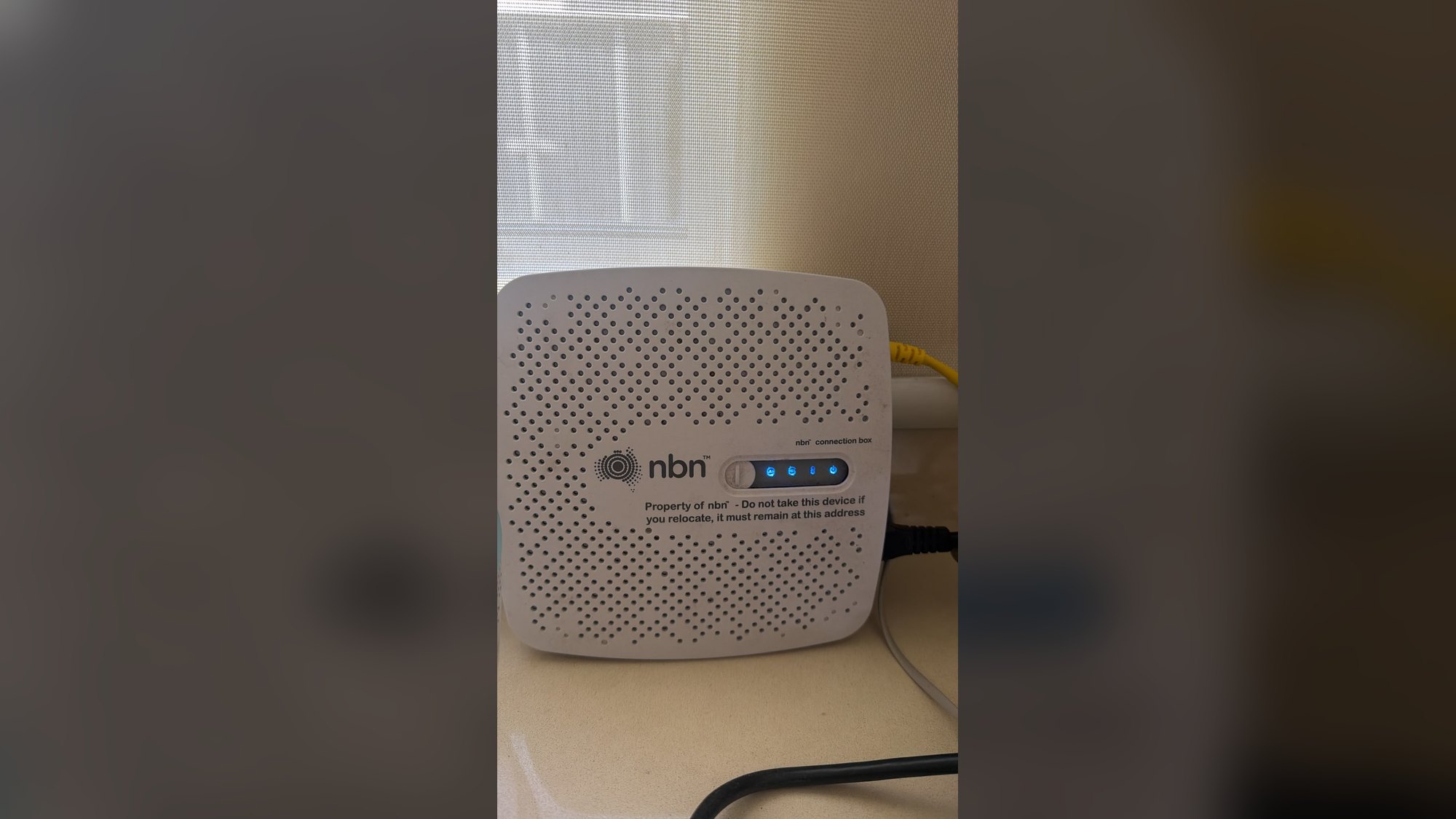
The NBN connection box at the new home

Featured case · Monterey · Emergency fix

Just moved in, no internet: fixed by 1:30pm

A WhatsApp message on a weekend morning: Origin NBN active, no internet light, working from home tomorrow. On site at 1pm, back online about 1:30pm

Location
Monterey NSW 2217
Provider
Origin · NBN
Device
TP-Link modem
Contact
WhatsApp
When
Weekend
Result
Fixed within 30 min on site
RESULTThe client messaged at 10:49 on a weekend morning with photos; by 10:59 we had booked 1pm. The technician arrived at 1pm and the internet was back about 1:30pm.

THE CLIENT

First time online in a new home, working from home tomorrow

The client had just moved into a new home in Monterey and was going online there for the first time. The NBN box and TP-Link modem were connected and Origin had confirmed the NBN was active, but the modem's internet light stayed off. Origin said they would talk to NBN, which could take 24 hours.

The client also told us the previous resident had used the same modem with Origin a month earlier without problems. That kind of detail helps us a lot.

10:49WhatsApp message with photos
10:591pm visit booked
13:00Technician on site
~13:30Back online, client confirms
01
First contact
A weekend morning WhatsApp message

The client set it out clearly: what was connected, what Origin had confirmed, why it was urgent, with photos of the equipment.
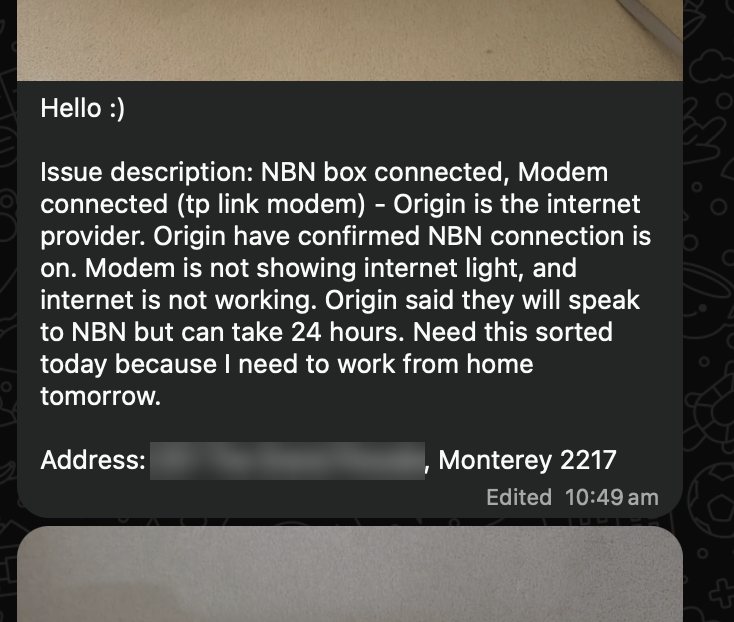
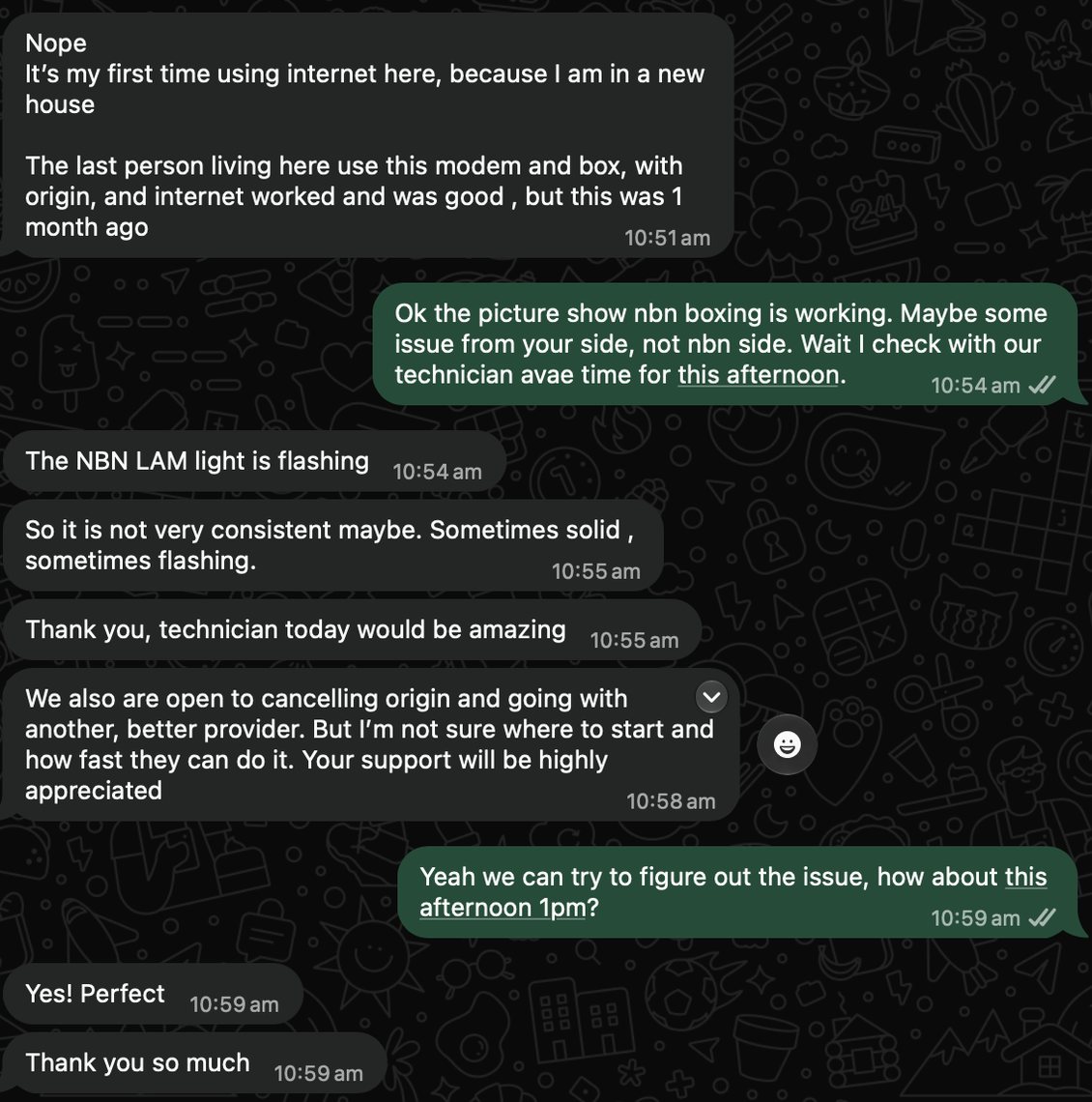
The client's description: NBN box and modem connected, Origin confirmed active, no internet light (street hidden)
The problem: NBN active, no internet light on the modem
Background details and a 1pm booking
More background, then 1pm booked
The client's thanks after the fix
Afterwards: "Thank you!"
02
First read
Photos and background narrow it down

The photos showed the NBN box working, so the problem was more likely on the home side than the NBN side.

  1. 1

    Read the lights

    The client's photos of the NBN box and modem lights told us whether the NBN side was up.

  2. 2

    Use the background

    The previous resident had used the same modem with Origin without trouble, so the line and modem had both worked.

  3. 3

    Earliest slot

    We told the client we could fix it and booked the earliest time that day: 1pm.
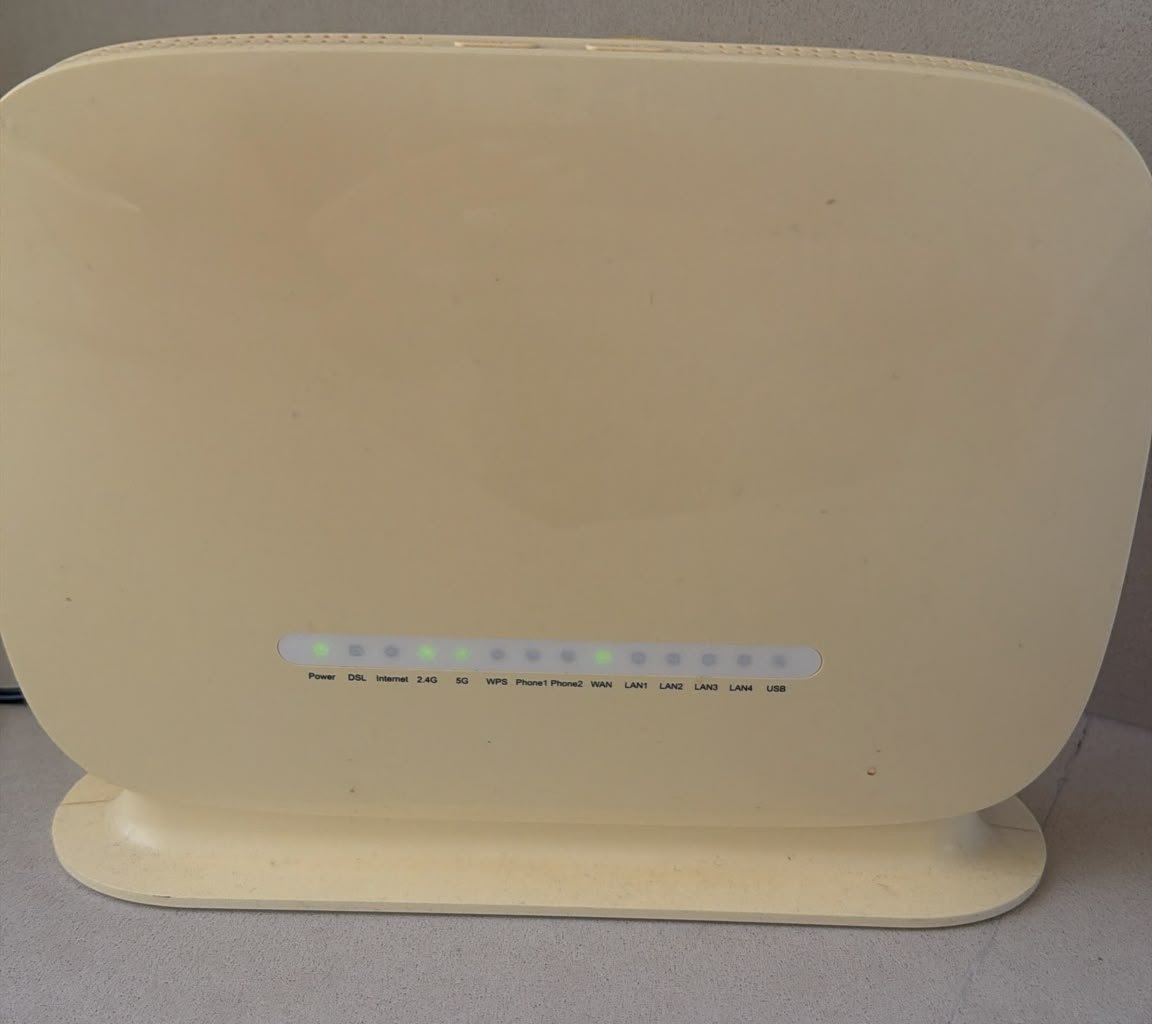
The front lights on the TP-Link modem
The modem's lights
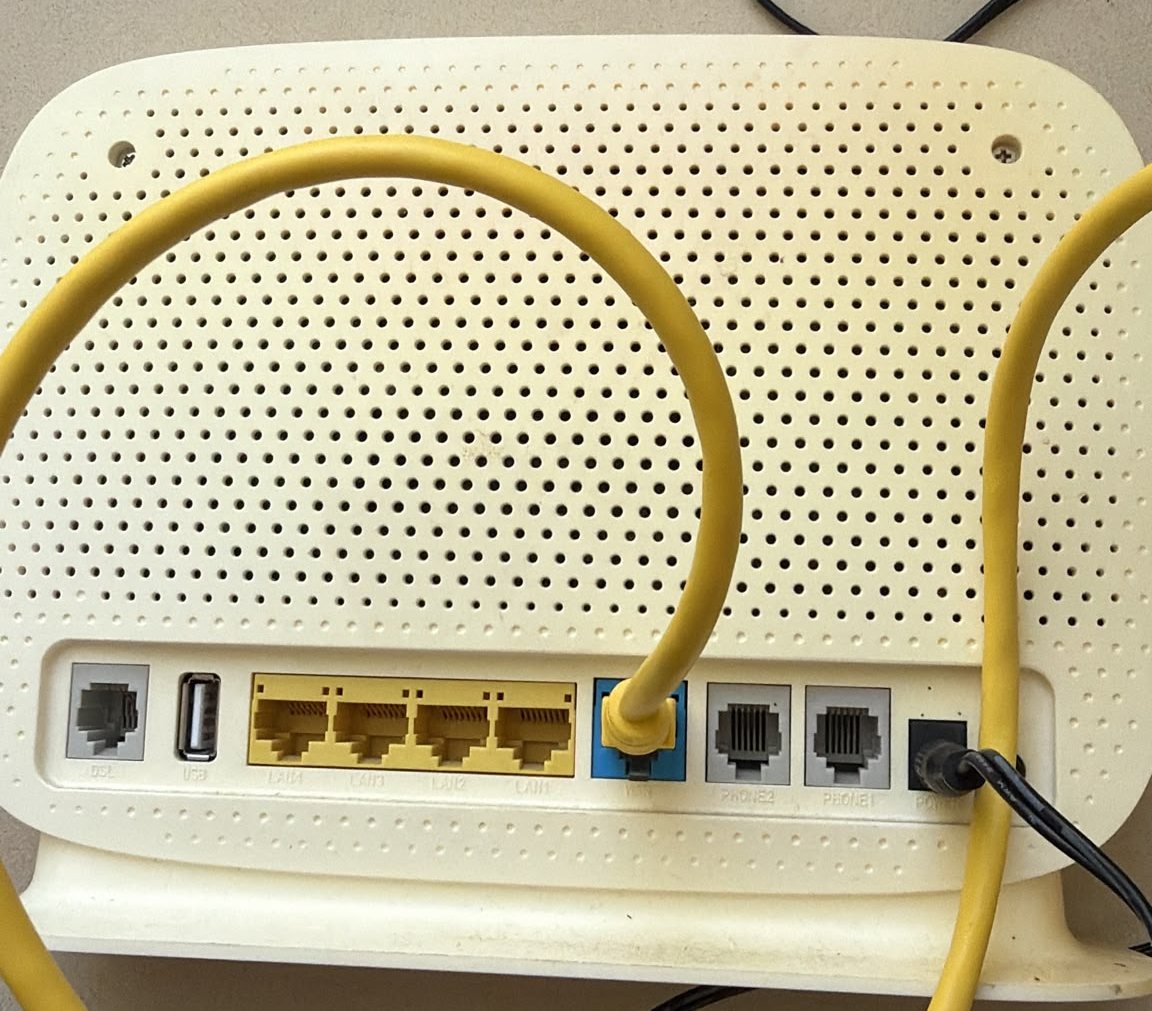
The ports and cable on the back of the TP-Link modem
Ports and cable at the back
03
On site
There at 1pm, online by about 1:30pm

The technician arrived at 1pm. The problem was in the modem's configuration, and after reconfiguring it the internet was back by about 1:30pm.

  1. 1

    Modem reconfigured

    After checking the NBN box, modem and connections, the problem was in the modem's configuration; we reconfigured it on site and the internet came back.

  2. 2

    Confirm it works

    Checked with the client that the internet was working, ready for working from home the next day.

  3. 3

    A review

    Once the client was happy, we asked for a Google review, and they thanked the technician by name.

04
Many ways to reach us
We use whatever the client uses

This client reached us on WhatsApp.

  1. 1

    No local number yet

    Some clients new to Australia don't have an Australian mobile yet, or don't like calling local numbers.

  2. 2

    The apps they use

    Many use WhatsApp, WeChat or WeCom every day, and our website offers all of them.

  3. 3

    Quick answers

    Clients message us on WhatsApp often; sending photos and details is easy.

Get in touch: phone, email, WhatsApp or WeChat, whichever suits you.

RESULT
Messaged on a weekend morning, online that afternoon.

Under 3 hours from the first message to a working connection, and the client worked from home the next day as planned.

Next step

No internet in a new home, or no light on the modem?

Send us photos and what's happening. We'll read it first, then book the earliest visit.

Emergency · NBN · Modem