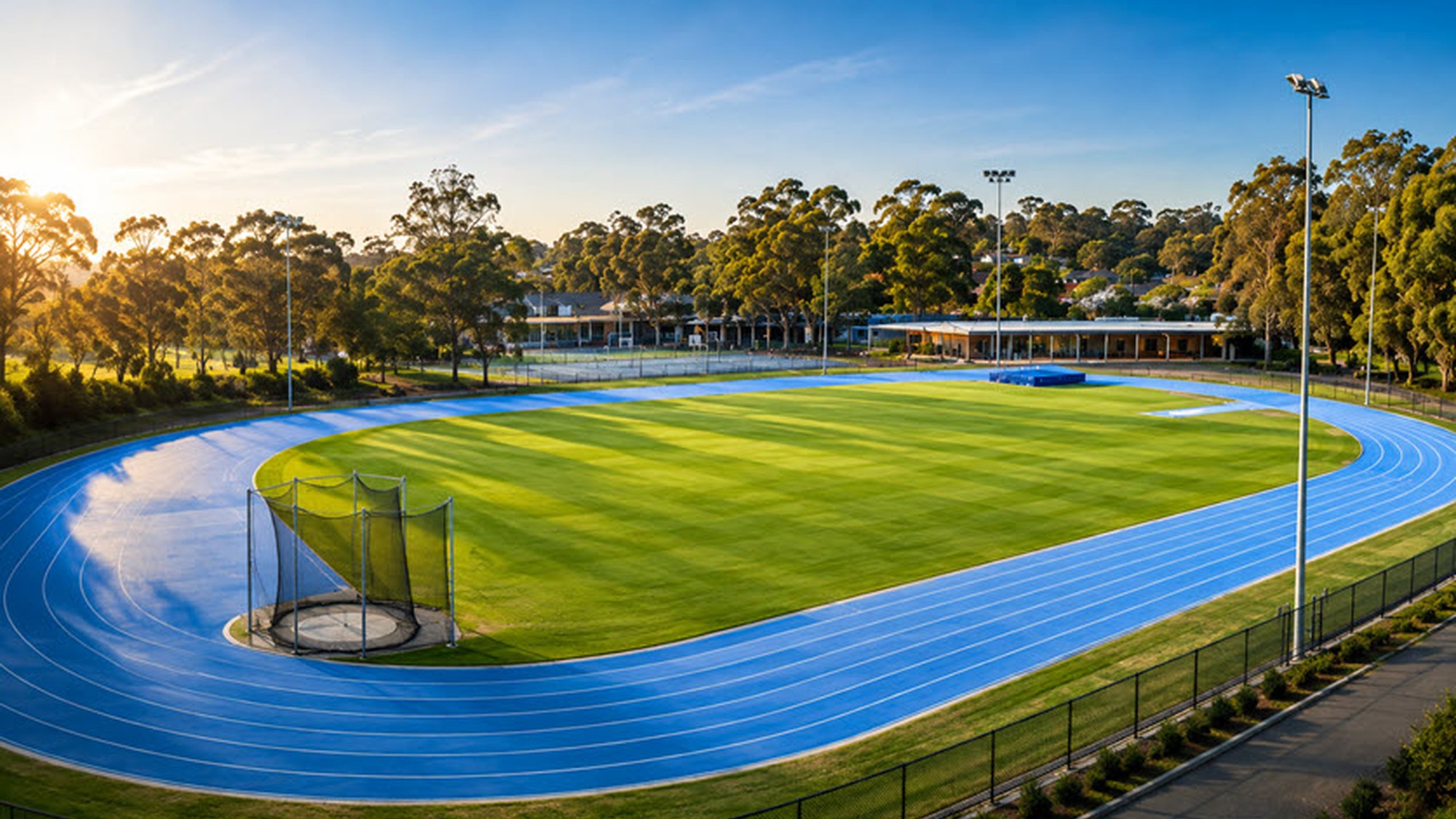
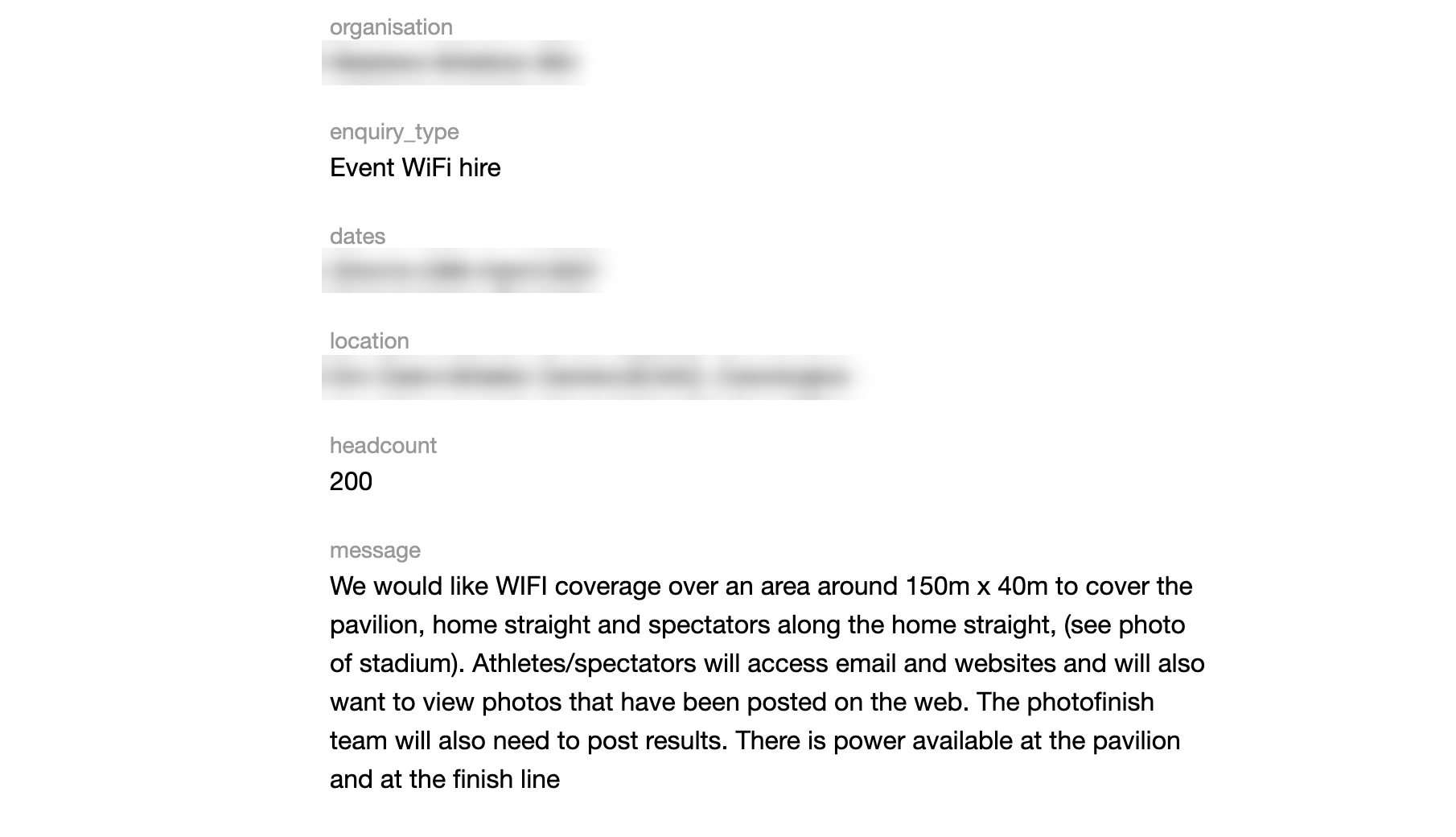
The form set out the headcount, the area, what the WiFi is for and where power is available.
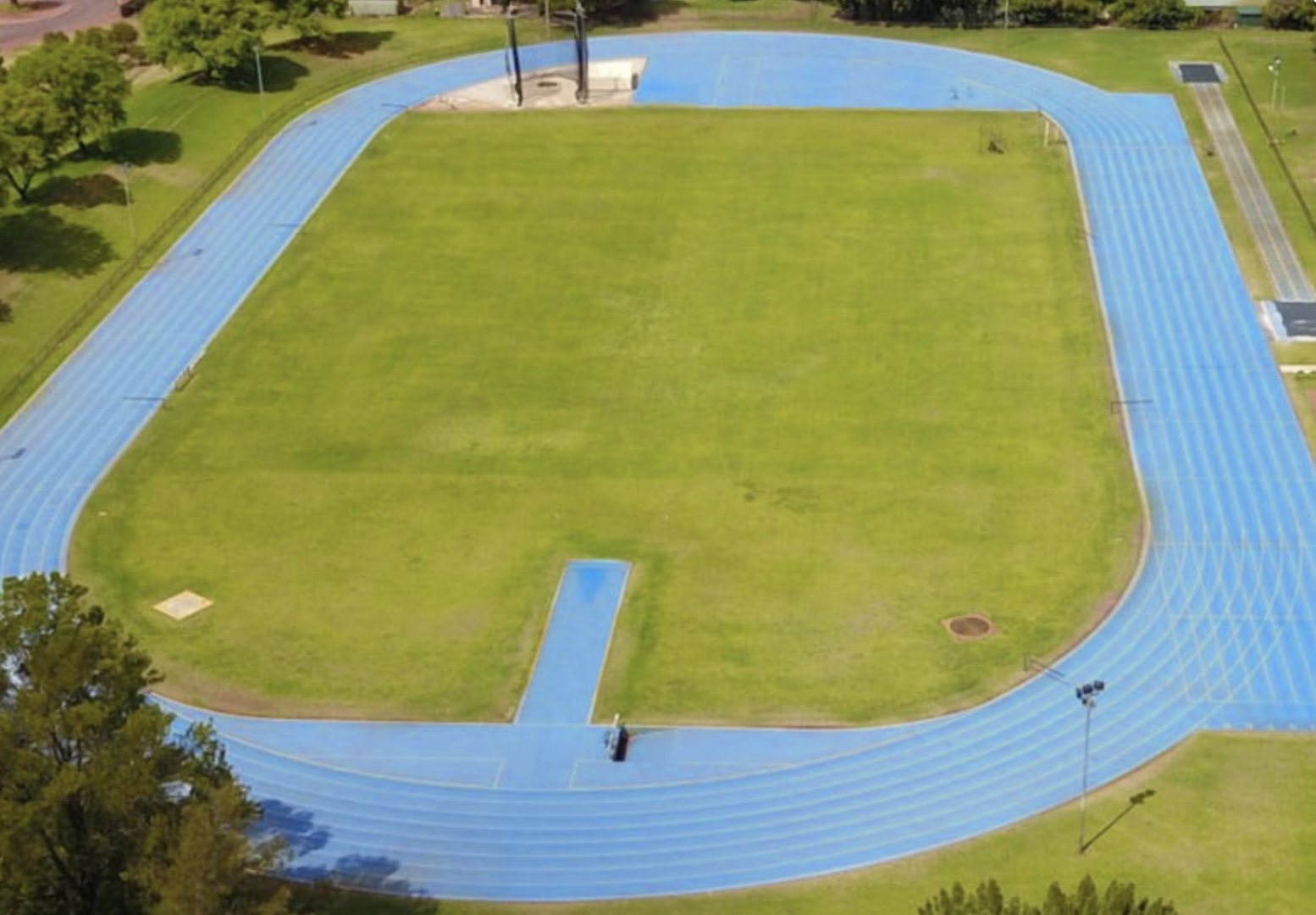
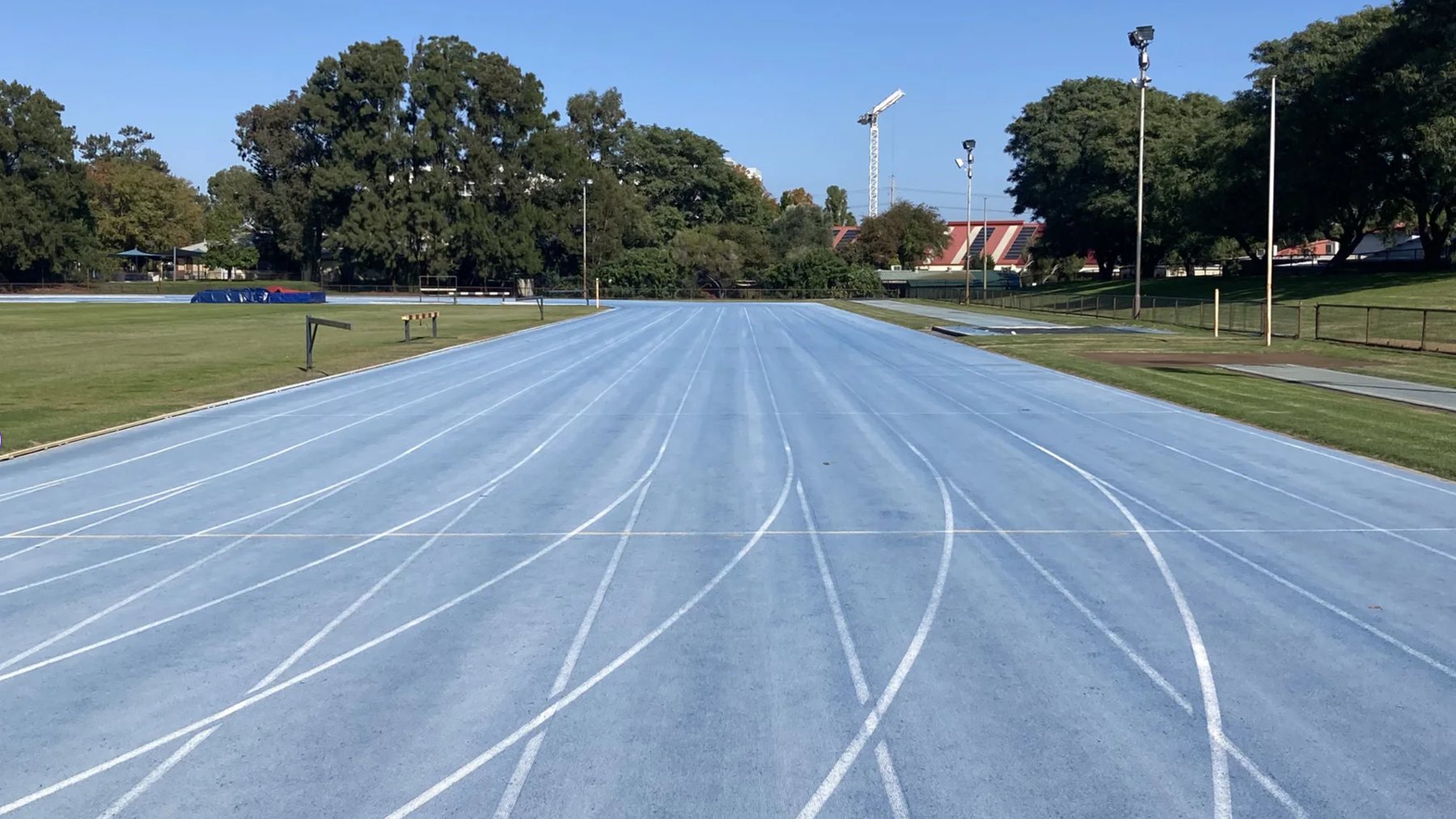
We replied promptly with three things to confirm, and the organiser answered each one.
- 1
Fixed internet at the venue
Is there an active NBN or fibre connection we can plug into? Answer: no.
- 2
The pavilion layout
Is there a floor plan, to work out cable routes, switch placement and outdoor access points? Answer: mostly change rooms and equipment rooms, with one room of about 5 m × 4 m with power that suits electronics and also houses the PA.
- 3
Access before the event
Can we get in ahead of competition to install and test? Answer: the day before is set aside for installation, and the venue can open a day earlier if needed.
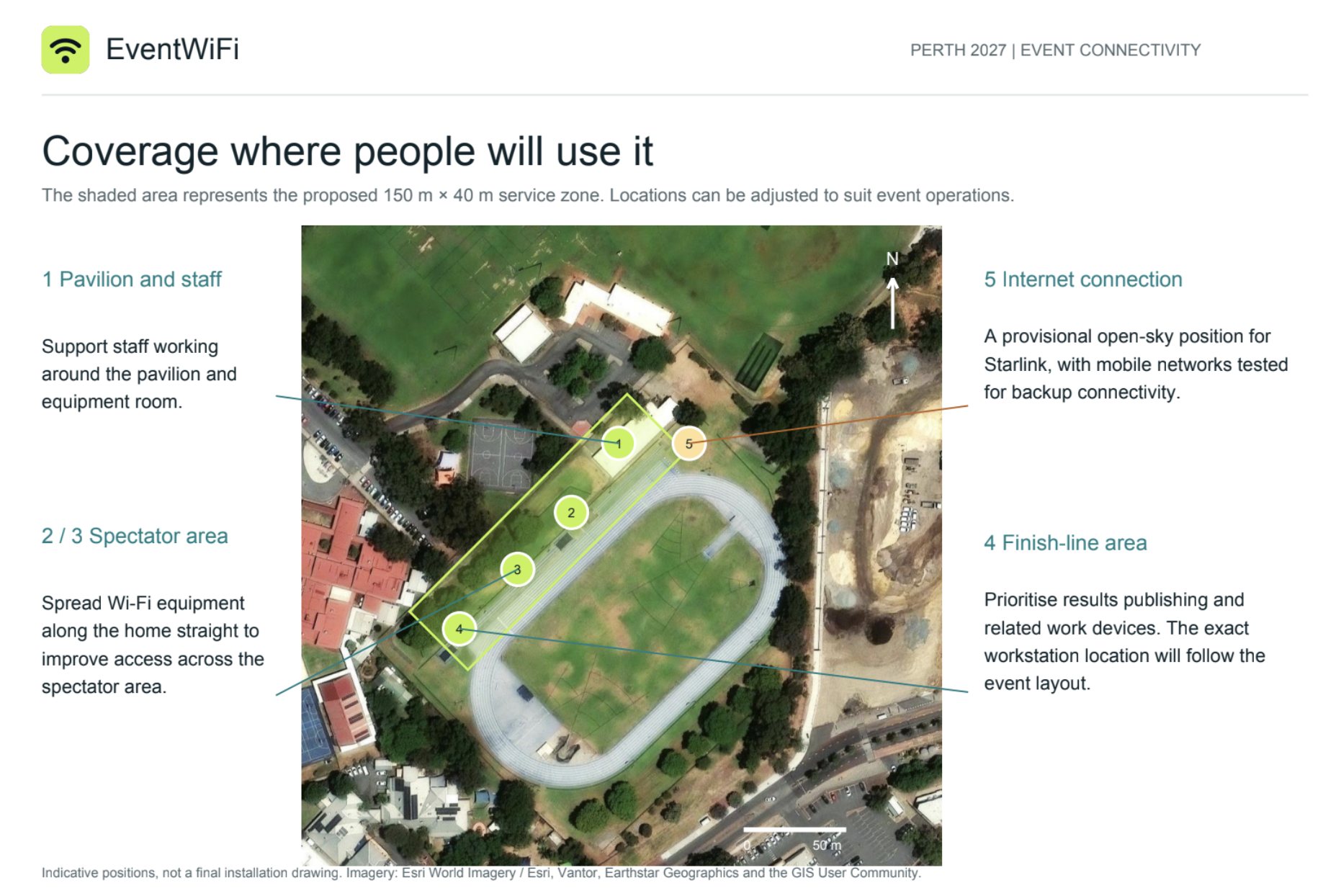
From the site details we estimated 5 positions, each with the area and users it serves written down.
- 1
Position 1 · Pavilion and staff
Staff working around the pavilion and equipment room.
- 2
Positions 2 and 3 · Spectators
WiFi equipment spread along the home straight to cover the spectator area.
- 3
Position 4 · Finish line
Priority for results publishing and related work devices.
- 4
Position 5 · Internet link
An open-sky spot for Starlink, with mobile networks tested for backup.
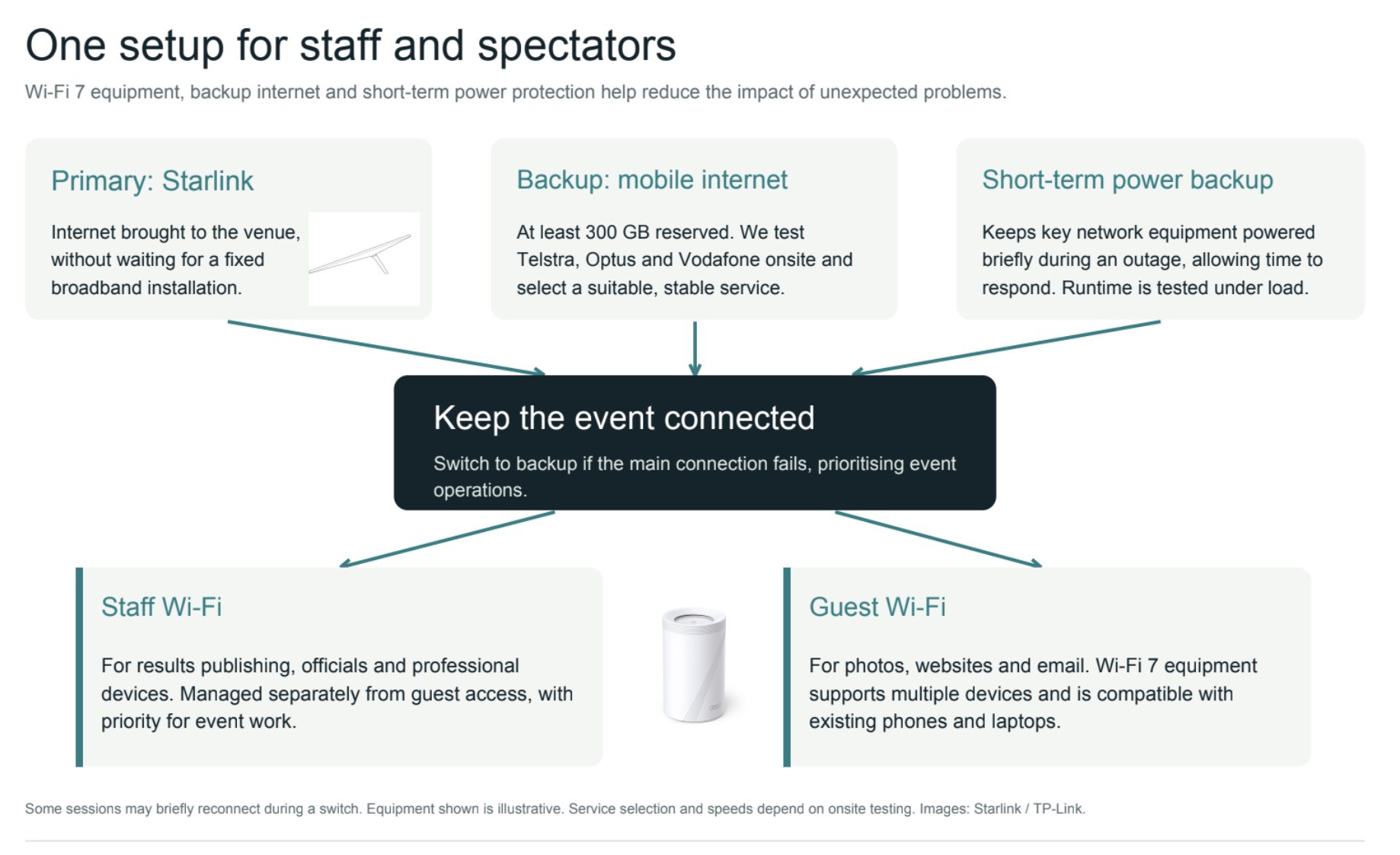
Network conditions at the venue aren't ideal, so the plan allows for several links and for things going wrong.
- 1
Primary: Starlink
Internet brought to the venue without waiting for a fixed broadband installation.
- 2
Backup: mobile internet
At least 300 GB reserved. We test Telstra, Optus and Vodafone on site and use a suitable, stable service, switching to it if the main link fails.
- 3
Short-term power backup
Keeps key network equipment running briefly during an outage, giving time to respond.
- 4
Staff and guest WiFi apart
Results publishing, officials and professional devices use staff WiFi, managed separately with priority. Spectators use guest WiFi for photos, websites and email.
- 5
WiFi 7 equipment
WiFi 7 gear on site for many devices at once, compatible with existing phones and laptops.
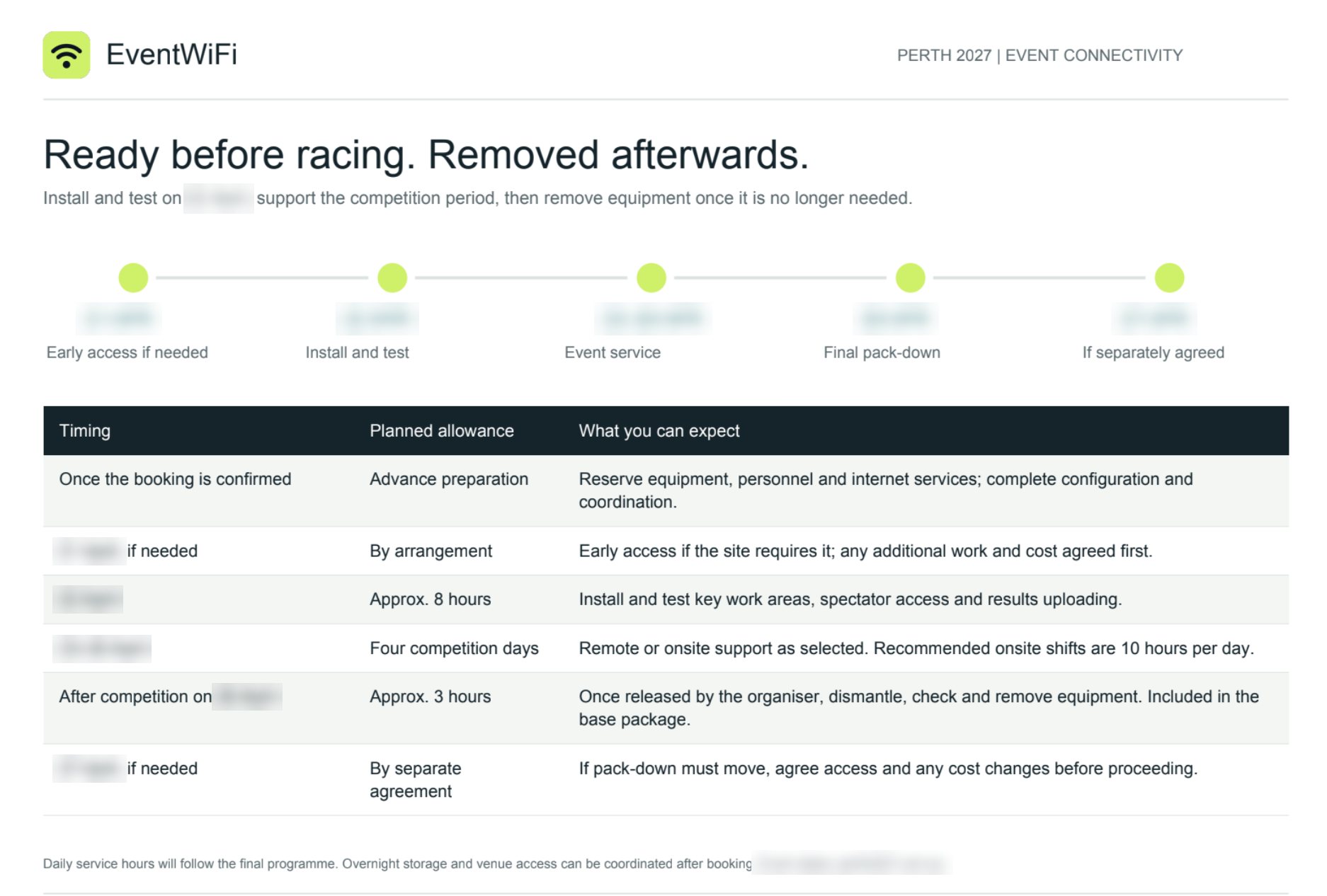
The proposal also sets out estimated timings, built around the event programme.
- 1
Once booked
Equipment, people and internet services reserved; configuration and coordination completed.
- 2
The day before
Install and test key work areas, spectator access and results uploading: about 8 hours.
- 3
Competition days
Remote or on-site support. We recommend on-site shifts of 10 hours a day to deal with anything unexpected.
- 4
After the last event
Once released by the organiser, equipment dismantled, checked and removed: about 3 hours.
Networks for large events: deployment, coverage and on-the-day support are work we have done before, with or without broadband at the venue.



